Claude Code Cheatsheet

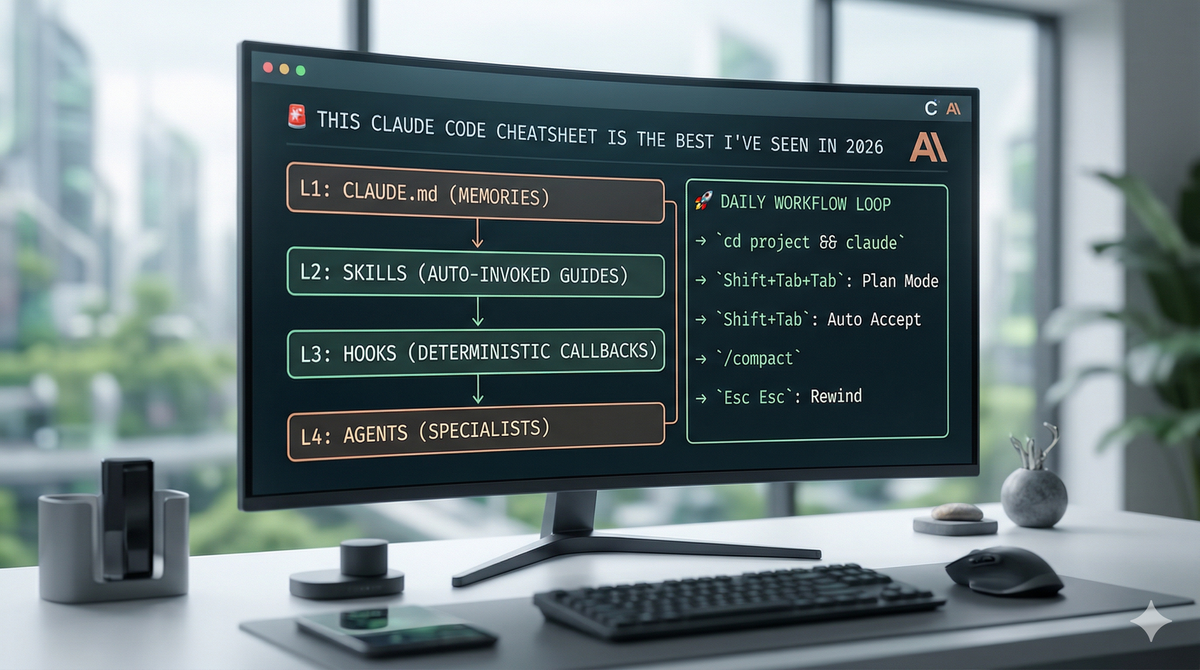
Stop Coding Like It’s 2024: The Ultimate Claude Code Cheatsheet
If you’re still manually explaining your tech stack to an AI every time you open a new terminal session, you’re working too hard. It’s 2026—coding isn't just about writing syntax anymore; it’s about context orchestration.
I’ve spent the last few months breaking down the most efficient Claude Code workflows, and I’ve condensed it into this 4-layer master strategy. If you want to move at the speed of thought, this is the only cheatsheet you need.
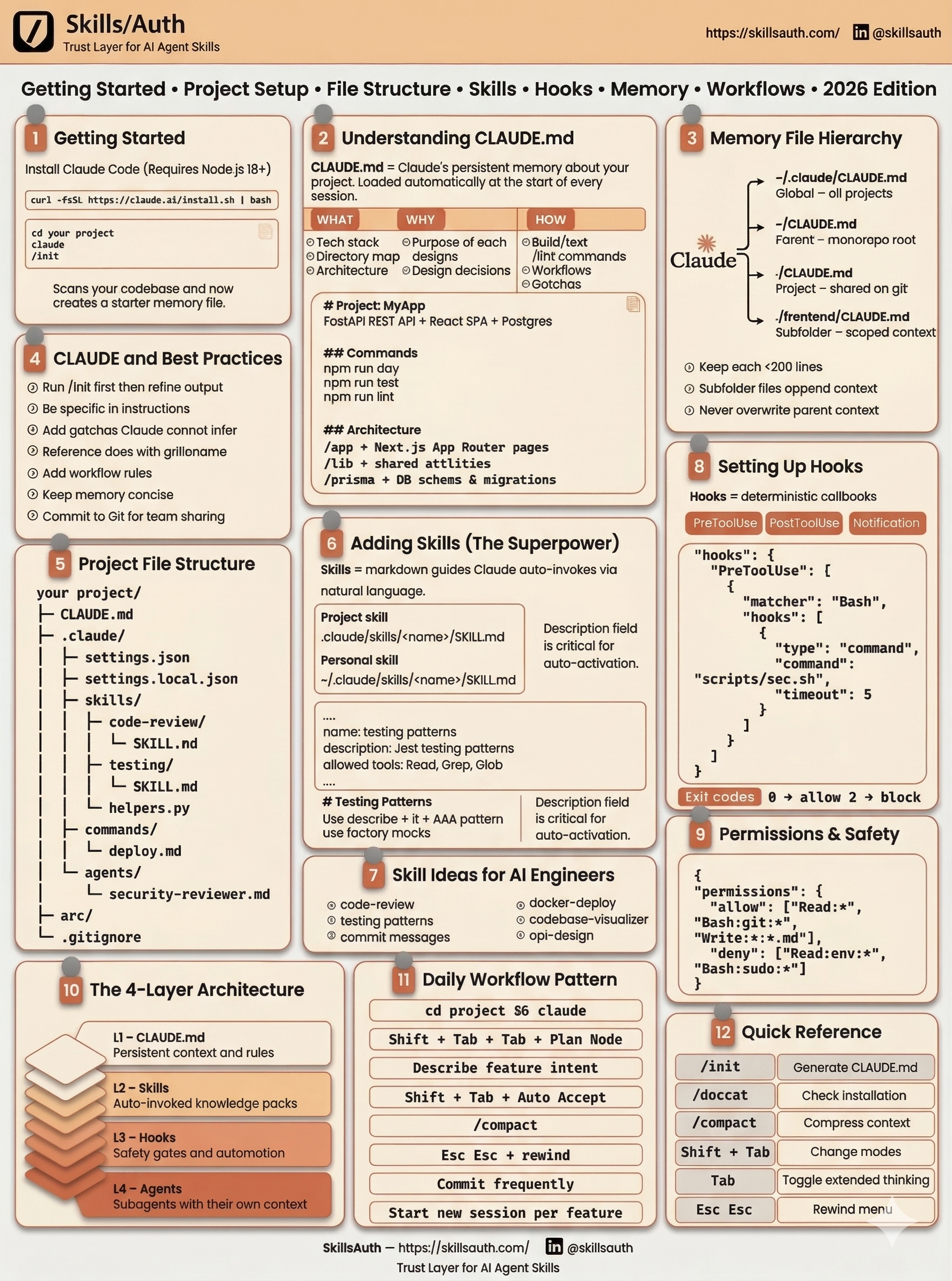
The 4-Layer Architecture
Think of these layers as the "operating system" for your project. Set them up once, and Claude becomes a literal extension of your brain.
🧠 Layer 1: CLAUDE.md (The Long-Term Memory)
This is the most critical file in your repo. It is Claude’s "source of truth" that loads automatically.
- What goes in: Your tech stack (e.g., Next.js 16, Bun, Tailwind), core architecture patterns, and those annoying "gotchas" that always break the build.
- The Rule: Keep it under 200 lines. If it gets bloated, Claude loses focus.
- Pro Tip: Commit this to Git so your whole team shares the same AI context.
⚙️ Layer 2: Skills (The Autonomous Tools)
Skills are markdown guides stored in .claude/skills/. Unlike traditional snippets, you don’t call them manually.
- How it works: Claude reads the skill description, realizes it matches your current task, and auto-invokes the logic.
- Project vs. Personal: Use
.claude/skills/for repo-specific logic and~/.claude/skills/for your global "personal" workflows.
🔒 Layer 3: Hooks (The Guardrails)
Hooks are deterministic callbacks. They are the "security guards" of your workflow.
- Security & Linting: Run a hook before a tool use to ensure you aren't about to leak an API key or break a linting rule.
- The Logic: * Exit Code 0: Everything is fine; proceed.
- Exit Code 2: Block the action and alert the user.
🤖 Layer 4: Agents (The Specialists)
For massive refactors or multi-step migrations, don't clog up your main session. Use Subagents.
- Setup: Store specialized agent prompts in an
agents/directory. - Execution: Reference them with
@filenameto spin up a worker with its own isolated context.
🚀 The 2026 Daily Workflow Loop
Once your layers are set, this is how you actually move during the day.
| Action | Shortcut / Command | Purpose |
| Initialize | cd project && claude | Boot with CLAUDE.md context. |
| Brainstorm | Shift + Tab + Tab | Enter Plan Mode (no code written yet). |
| Execute | Shift + Tab | Auto Accept the plan and start coding. |
| Optimize | /compact | Compress the context window to keep Claude sharp. |
| Undo | Esc Esc | Immediate Rewind if the logic goes sideways. |
Final Thoughts
Claude Code isn't just a chatbot in your terminal; it's a project partner. By setting up your CLAUDE.md and mastering the Shift + Tab shortcuts, you're cutting out the "prompt engineering" fluff and getting straight to the shipping.